Adding Project and Item Tags
To facilitate searching, you can add tags to projects and to items in a project. Project and Item tags appear in the Tags box on the left sidebar for the selected project or item, as shown below.
Project tags
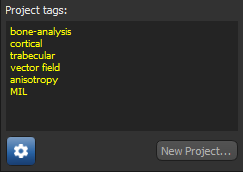
See Setting Up Project Tags for information about setting up mandatory and optional project tags.
 How to Add Project Tags
- Select the required project in the Project list.
- Click inside the Project tags box and then enter a new tag.
- Add additional tags, as required.
Note Each tag must appear on a new line. Press Enter to create a new line.
How to Add Item Tags
- Select the required item in a project.
- Click inside the Item tags box and then enter a new tag.
- Add additional tags, as required.
Note Each tag must appear on a new line. Press Enter to create a new line.